How to Make a Vision Board in 5 Minutes With AI (No Design Skills Needed)
VisionPrint Connect · Updated 2026-10-07
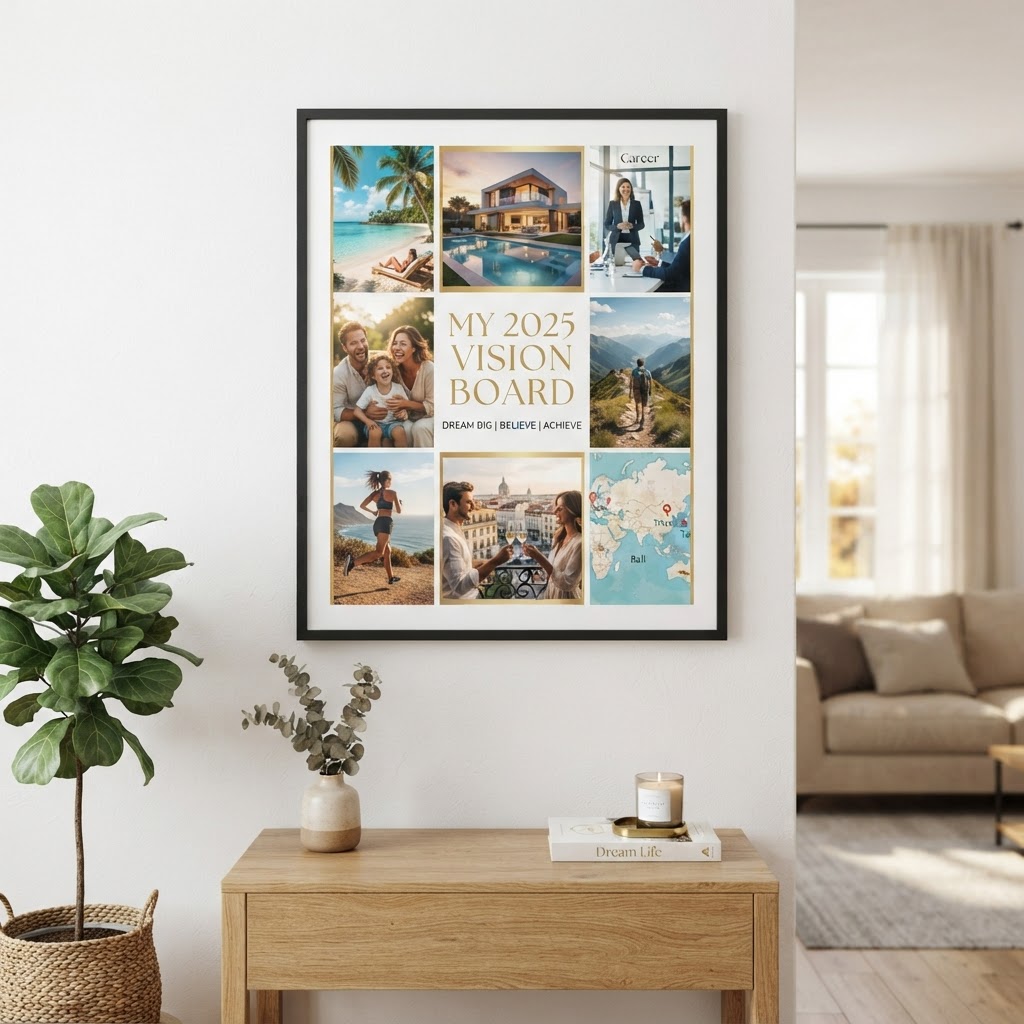
Your goals can stay in your head for another year.
Or you can make them visible today.
A vision board gives your future a place to show up every morning. With AI, you no longer need magazines, scissors, design software, or a suspicious pile of glue sticks. You can describe the life you want, upload a selfie, and create a personalized board in minutes.
This guide shows you how to make a vision board in 5 minutes with VisionPrint, even if you have no design experience.
What you need before you start
You only need two things:
- A short description of what you want to achieve.
- A clear, front-facing selfie.
Your goals can be specific or still taking shape. You might want to focus on:
- A new career or business
- Financial freedom
- Better health and wellness
- Travel and adventure
- Family and relationships
- A dream home
- More creativity, confidence, or personal time
If you are creating a 2026 vision board, choose three to five priorities for the year. You do not need to plan your entire life in one collage. Start with the future that feels most meaningful right now.
Minute 1: Describe the life you want
Start by writing a simple description of your ideal future.
You could say:
"I want to build a successful creative business, travel to Italy, feel stronger and healthier, spend more time with my family, and live in a bright home near the water."
That is enough to begin.
You can also use ChatGPT to brainstorm your goals. A vision board with ChatGPT might start with a prompt such as:
"Help me list five realistic vision board goals for career, wellness, travel, family, and finances."
Use the ideas that feel personal to you, then bring them into VisionPrint. The goal is not to create a perfect paragraph. The goal is to give the AI enough direction to create scenes that feel like your life.
What to put on a vision board
Choose images and ideas that make your future feel clear:
- The kind of work you want to do
- A place you want to visit
- Your preferred health and wellness habits
- A home or workspace that inspires you
- Time with people you love
- A financial milestone
- Words that describe how you want to feel
For vision board ideas for money, think beyond a pile of cash. Include debt freedom, savings, a thriving business, a peaceful budget, a new home, or the ability to support your family.
For vision board ideas for career, consider leadership, a specific role, creative projects, flexible work, a confident presentation, or a business reaching its next milestone.
Your board should reflect your definition of progress, not somebody else's highlight reel.
Minute 2: Upload your selfie
Choose a clear photo with your face visible. A front-facing selfie in good natural light usually works best.
You do not need a professional headshot. You do not need perfect hair. The AI is not judging your camera roll, and neither are we.
When you upload your image, VisionPrint can use AI likeness matching to place your actual likeness into dream-life scenes. Instead of looking at a generic person on a beach or in a boardroom, you can see yourself in the picture.
That personal connection matters. A goal feels more immediate when it looks like something you are already becoming.

Minute 3: Choose a theme or customize your prompt
You can start with a theme or describe your vision in your own words.
Popular directions include:
- ✈️ Travel and wealth
- 🌿 Wellness and family
- 🚀 Career and success
- Creative confidence
- Dream home
- Financial growth
- Personal transformation
You can combine themes, too. Maybe your ideal year includes a stronger body, a calmer home, international travel, and a growing business. Tell the AI.
If you prefer a minimalist vision board, ask for fewer images, clean spacing, soft colors, and simple typography.
If you want an aesthetic vision board, describe the visual mood: warm neutrals, editorial photography, modern interiors, coastal colors, vintage textures, or bold magazine-style collage.
Your prompt does not need to sound technical. Write as if you are explaining your dream to a helpful friend.
Minute 4: Generate and preview your board
Now generate your design.
The AI brings your goals together into a complete vision board. It can combine lifestyle imagery, meaningful scenes, text, and your likeness into one cohesive composition.
Then review the preview.
This is where you stay in control. You can look at the layout, check the imagery, adjust your goals, and request revisions before deciding what you want to do next.
Nothing is charged until you approve your design.
That means you can explore the idea without committing to a print. If a scene does not feel right, change it. If one goal needs more attention, revise it. If your vision has evolved while creating the board, update it.
A vision board should feel like yours, not like a template wearing your name.
Minute 5: Choose your format
Once you love your design, choose how you want to use it.
Go digital
The Digital Bundle includes:
- A high-resolution printable vision board PDF
- Phone wallpaper
- Desktop wallpaper
- Unlimited revisions before download
- Instant delivery
A digital vision board wallpaper is easy to keep in front of you throughout the day. Set it as your phone background, desktop image, or tablet lock screen.
You can also start with VisionPrint's free AI lockscreen generator. It creates a free vision board lock screen in about 60 seconds, with no payment required. It is a simple way to try the process before making a larger board.
Print a poster
The Standard Poster is an 18×24 archival-quality matte print with free shipping. Your digital bundle is included, so you can use the design on your devices and display it on your wall.
A physical poster gives your goals a permanent place in your daily environment. Put it near your desk, dresser, entryway, or anywhere you naturally look each morning.
Upgrade to a framed print
The Premium Framed option is a 24×36 canvas or solid wood framed print with priority production and shipping.
A framed vision board print turns your goals into gallery-style wall art. It is designed to feel like part of your home, not a temporary craft project taped above your desk.

Why an AI vision board feels different
Traditional vision boards can be meaningful, but they can also take hours to assemble. You need to find images, print them, cut them out, arrange them, and hope the final layout looks intentional.
AI removes much of that friction.
You describe your direction. We create the visual starting point.
You can still customize the result, revise the layout, and choose the format that fits your life. The process is quick, but the finished board can still feel personal and considered.
Most importantly, an AI vision board with your face makes the experience more direct. You are not only imagining "someone" succeeding, traveling, feeling well, or building a beautiful home.
You are seeing yourself move toward it.
A few tips for a better result
Focus on three to five priorities
A board with every possible goal can become visual noise. Choose the areas that matter most this season.
Use sensory details
Instead of writing "successful career," try "leading a confident presentation in a bright studio" or "running a creative business from a calm home office."
Specific details help create stronger scenes.
Include how you want to feel
Add words such as:
- Grounded
- Confident
- Free
- Energized
- Creative
- Connected
- Peaceful
Your vision is not only about what you own. It is also about how you want your days to feel.
Keep the board somewhere visible
A vision board works best when it becomes part of your routine. Use the wallpaper on your phone or place your printed board somewhere you see it often.
You do not need to stare at it dramatically while orchestral music plays. A few quiet seconds each day is enough to reconnect with what you are building.
Make yours free to start
You do not need design skills, a complicated setup, or a finished plan.
Start with one sentence about the life you want. Upload a selfie. Preview your design. Revise it until it feels right.
Then choose a digital download, an 18×24 poster, or a premium framed print. You decide what comes next, and you do not pay until you approve your design.
Create your vision board free with VisionPrint
Your future does not need to feel distant or abstract. Make it visible today.
